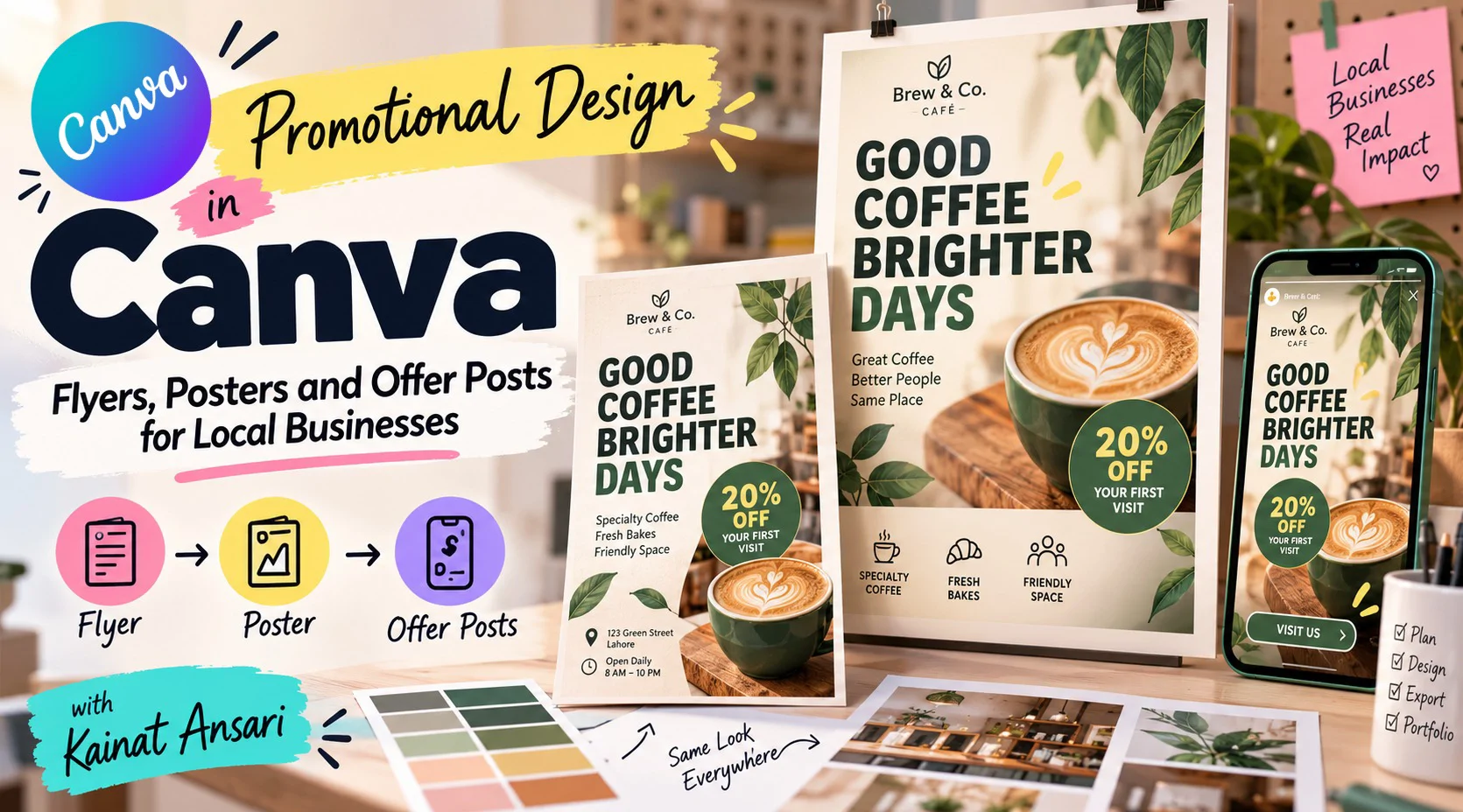


A shop, a salon or a tuition center usually needs the same few things to bring people in: a flyer for the door, a poster for the window and an offer post for the phone. In this pack you design all three for one local business so they look like they belong together. You settle the message first, then the layout, the colors and the call to action, and you finish with files ready for a print shop and for social media. Canva's free plan covers everything you need to begin, and the finished set can go straight into your portfolio.
Session# 1: Choosing the Offer and the Message
1Hr
Every promotion starts with one clear offer and one sentence that says it. Pick a local business, real or imagined, write that sentence, decide who it is for and where it will be seen, and gather a logo, two colors and two fonts to use throughout. A small mood board keeps the whole set consistent.
Session# 2: Designing a Flyer That Gets Read
1Hr
A flyer is judged in a glance, so the order of information matters. You set the page size and margins, place the headline, the offer, the details and the call to action by importance, choose an image and make the text readable over it, then check the result from an arm's length away.
Session# 3: Posters for Windows, Walls and Events
1Hr
A poster is read from a few steps away, so it needs big type, strong contrast and very little text. You adapt the flyer idea to poster sizes, add a QR code or a phone number people can act on, and check print size, margins and image sharpness before anything goes to a printer.
Session# 4: Offer Posts and Stories from the Same Design
1Hr
The same promotion also has to work on a phone. You resize the design into a square post and a vertical story, keep the text inside the safe areas and match the look to the flyer and poster. A short animated story shows how a little movement helps an offer stand out.
Session# 5: Print-Ready Files and the Finished Set
1Hr
Export the set the right way for each use: a print PDF for the shop and images for social media. You name and organize the files, compare the finished set with your first mood board, fix whatever does not match and present the whole promotion as a portfolio piece or a client delivery.
Turn one offer into a clear message for a local business
Design a flyer that puts the information in the right order
Make a poster that can be read from a few steps away
Resize one design into a square post and a vertical story
Produce a print-ready PDF and web-ready images from the same design
Present a finished promotion as a portfolio piece or client delivery
A computer or phone with a free Canva account
A local business to design for, real or imagined
A logo or business name to use, or a made-up one for practice
I am a passionate and creative Graphic Designer with 3 years of experience in creating modern, engaging, and visually appealing designs. I have a strong understanding of design principles, typography, color theory, and visual communication. I enjoy transforming ideas into creative visuals that effectively communicate a brand’s message. I am detail-oriented, adaptable, and always eager to learn new skills and explore innovative design trends.
| Language | Spoken Level |
|---|---|
| English |
|
| English |
|
No reviews yet for this teacher.